
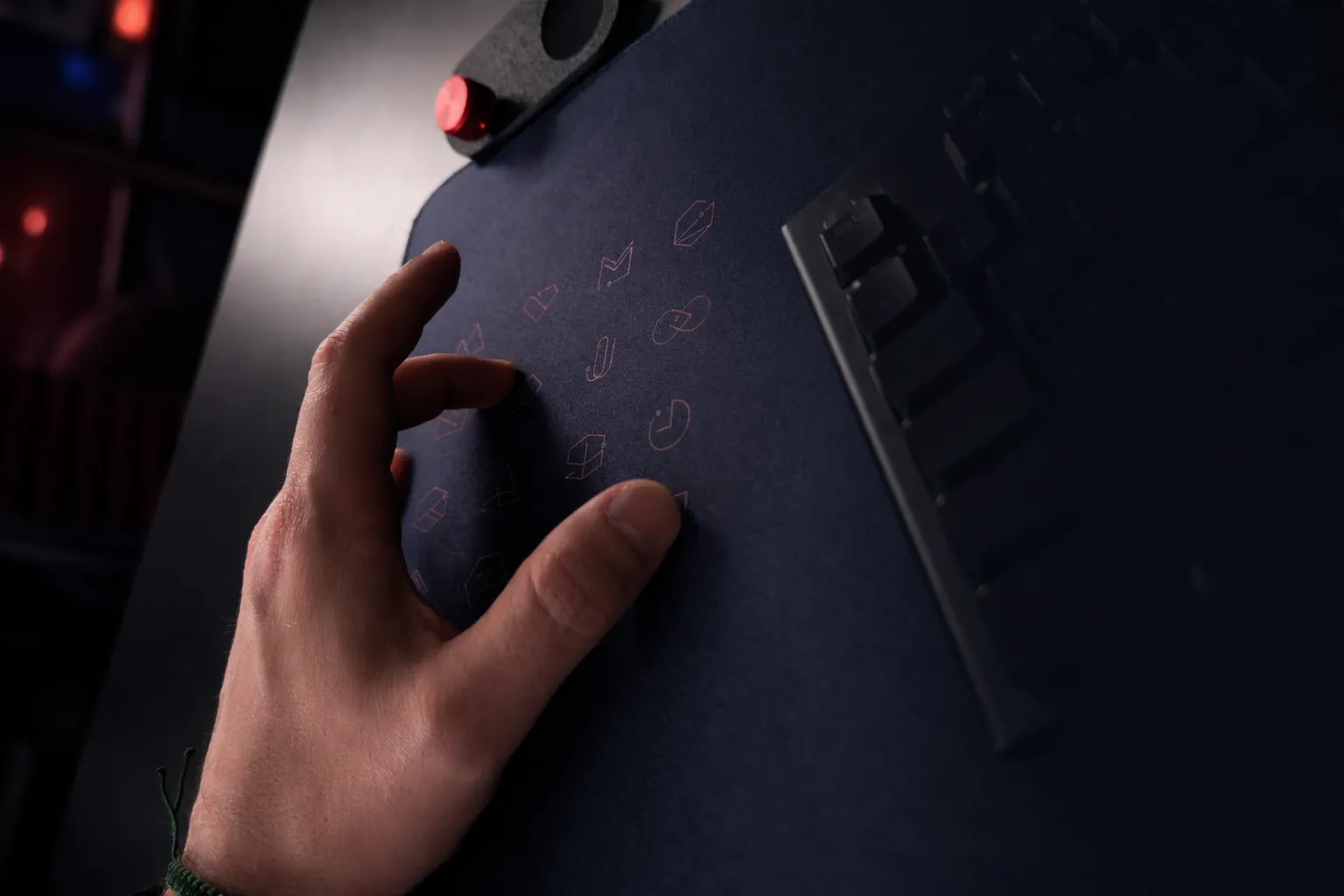
The problem with most shortcut gear is not capability. It is placement. Every extra macro pad, stream controller, or side panel asks you to leave your mouse, break posture, and reach across the desk for a command you use all day. A desk surface shortcut device fixes that by moving control back under the hand, where the action already happens.
That shift sounds small until you spend ten hours editing, gaming, switching scenes, scrubbing timelines, or bouncing between code, chat, and browser tabs. At that point, every unnecessary reach becomes friction. Not dramatic friction. Just enough to pull you out of flow, over and over.
A better setup does not always mean adding more hardware. Sometimes it means rethinking the hardware that is already there.
What a desk surface shortcut device actually changes
Most peripherals live at the edge of your workspace. They compete for room, cable paths, and attention. A desk surface shortcut device works differently. It turns a passive surface into an active input layer, so the space under your mouse or resting hand becomes programmable.
That matters because the mousepad is one of the few objects on a desk that never leaves the workflow. It is always in position. Always within reach. Yet in a standard setup, it contributes nothing beyond friction control for the mouse.
Once that same surface can trigger shortcuts, macros, media actions, or app commands, the desk becomes more efficient without becoming more crowded. You keep the same footprint. You gain another control system.
For power users, that is a more meaningful upgrade than it first appears. Speed is not just about raw switch actuation or polling rate. It is about reducing movement, keeping your hand anchored, and preserving concentration through repetitive tasks.
Why traditional shortcut devices fall short
Dedicated control pads still have a place. If you need labeled keys, physical toggles, or visual feedback, a separate device can make sense. But they also come with trade-offs.
The first is desk clutter. The second is reach distance. The third is attention cost. A visible control panel asks for visual confirmation and spatial memory in a different part of the desk. That can be fine in a studio setup with room to spare. It is less ideal in tighter spaces or minimalist rigs where every object has to justify its footprint.
There is also a mismatch between how people actually work and where most shortcut gear sits. Your dominant hand already spends most of the session on the mouse. That is where quick actions should be accessible. Not off to the side, not behind the keyboard, and not stacked into another device that needs its own place in the system.
A desk surface shortcut device closes that gap. It puts control into dead space and turns it into active space.
The best desk surface shortcut device feels invisible
Invisible does not mean vague. It means intentional.
The strongest version of this category does not scream for attention with extra lights, extra keycaps, or another hardware silhouette on the desk. It disappears into the setup until you need it. Then it acts immediately.
That is why pressure-sensitive interaction is so compelling here. Instead of adding another visible keypad, the desk surface itself becomes the interface. Press a zone. Trigger an action. Stay in position.
For gamers, that could mean push-to-talk, inventory actions, mute, clip capture, or secondary commands that do not belong on the keyboard. For streamers, it could be scene switching, sound cues, chat controls, or marker placement. For editors, it could be cut, ripple delete, pause, export, or timeline tools. For developers, it might be terminal commands, build scripts, app switching, or window management.
The point is not novelty. The point is fewer interruptions.
Who gets the most value from it
If your desk time is casual and your workflows are simple, a programmable surface may be more than you need. That is the trade-off. Not every setup benefits equally from hidden input.
But if you repeat commands hundreds of times a day, this category starts to make immediate sense. The people who benefit most are the ones already optimizing around milliseconds, posture, and desk real estate.
That includes competitive and enthusiast gamers who want faster access without changing mouse grip. It includes streamers who need quick actions during live sessions. It includes editors and designers who live on timelines and tool switches. It includes producers managing playback and transport controls. It includes developers who move constantly between code, browser, terminal, and communication tools.
For these users, the desk is not decoration. It is an operating environment.
What to look for in a desk surface shortcut device
The first thing is input quality. Shortcuts hidden in the surface need to trigger reliably. If activation feels inconsistent, the whole concept collapses. Precision matters more here than with a novelty touch feature because this is replacing real workflow actions.
The second is setup friction. A product in this category should behave like a serious peripheral, not a science project. Browser-based configuration is better than bloated software. Plug-and-play is better than driver chains. Fast remapping matters because people will refine layouts over time.
The third is mode flexibility. One profile is useful. Multiple modes are where the system gets powerful. A gaming layout, an editing layout, a streaming layout, and a work layout can all live on the same surface if switching between them is simple.
The fourth is physical design. This still has to function as a premium desk surface. Tracking, texture, edge comfort, and durability are not secondary. If the mouse experience suffers, no amount of programmability will make up for it.
Why this category is arriving now
Desktop users are more customized than ever, but many setups are reaching saturation. Another pad. Another dock. Another controller. Another cable. There is a point where optimization turns into sprawl.
A desk surface shortcut device answers that with compression. More function. Same footprint.
That is why the concept feels timely. It aligns with what many users already want from a desk setup: fewer visible distractions, faster access, and gear that does more without asking for more space. It is a cleaner form of power.
This is also why the category has more long-term potential than a one-off gimmick. Once people get used to command layers built into a surface they already touch all day, separate shortcut hardware starts to feel less necessary for many tasks.
The design advantage most peripherals miss
Good desk gear should respect the visual field as much as the workflow. That does not mean sterile minimalism for its own sake. It means reducing objects that interrupt focus.
A desk surface shortcut device has an advantage here because it adds capability without adding visual noise. It keeps the setup cleaner while still making it more capable. That balance is rare in PC accessories, where performance products often signal power by taking up more space and demanding more attention.
A more mature approach is quieter. Better systems often are.
That is part of what makes the idea compelling when executed properly. KAGE GhostPad, for example, frames the mousepad as an active control surface rather than another gadget beside it. That is the right level of ambition for this category. It treats the desk as interface, not just furniture.
The trade-off is learning your own map
There is one real adjustment with hidden controls: memorization. Without visible buttons, users need to build positional memory. For some people, that is immediate. For others, it takes a few sessions.
The upside is that once the map becomes familiar, interaction gets faster and more instinctive. It starts to feel less like using a separate device and more like extending the surface your hand already understands.
This is where zone layout matters. Too many commands in one area can create hesitation. Too few can waste potential. The best implementations make it easy to start simple, then layer in complexity as habits form.
That is the right way to think about adoption. Not maximum features on day one. Fast control that grows with use.
Where desk control is heading
The future of desk peripherals is not necessarily more objects. It is smarter surfaces, tighter integration, and interfaces that stay out of the way until called on.
A desk surface shortcut device points in that direction. It reduces clutter. It protects flow. It makes the desk itself part of the control stack.
For users who care about speed, focus, and a cleaner setup, that is not a small upgrade. It is a different design philosophy.
If your current shortcut gear works, keep using it. But if your desk already feels crowded and your hand is still traveling too far for basic actions, the better answer may not be another device. It may be the surface that has been sitting under your hand the whole time.
Leave a Reply