
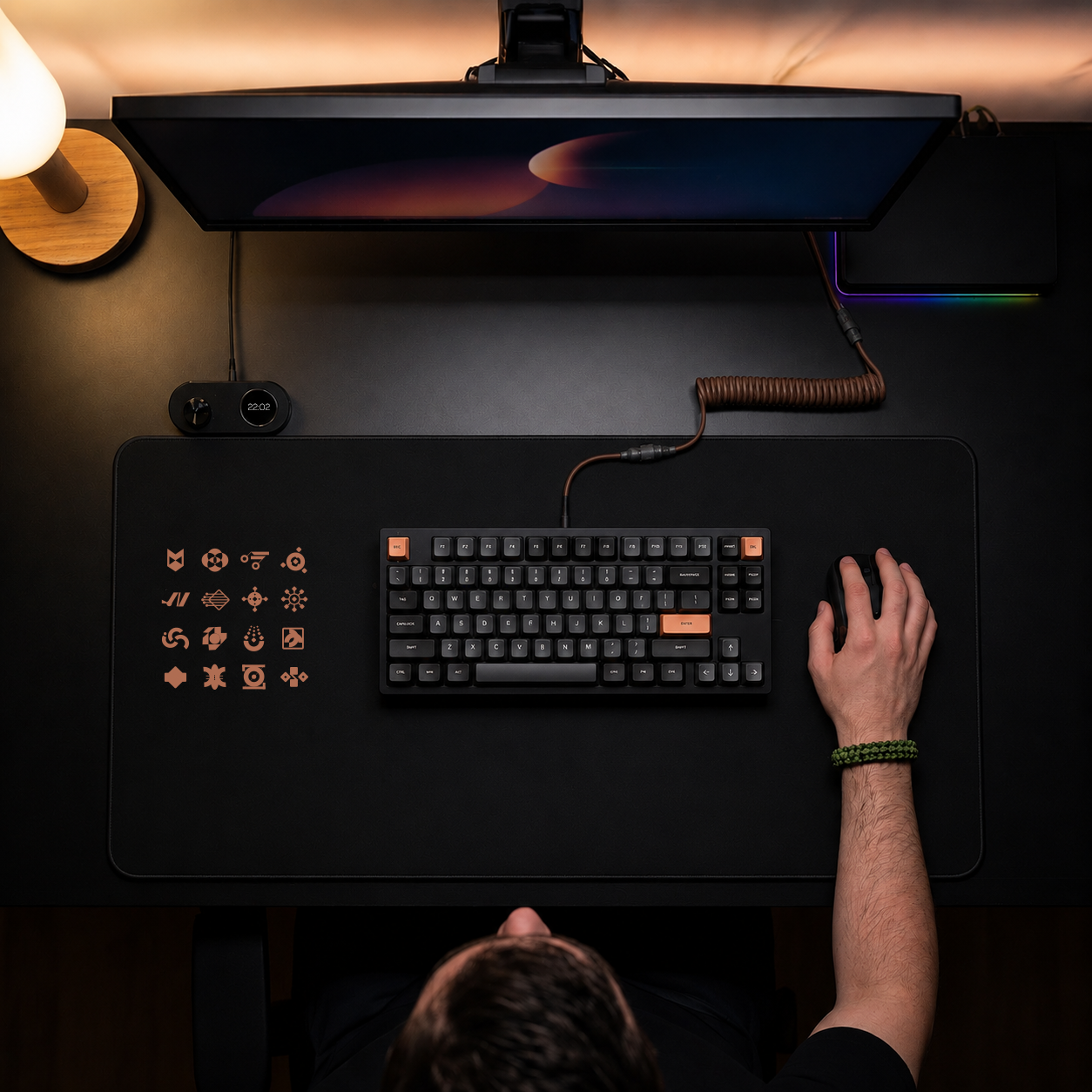
A pressure sensitive mouse pad changes one basic assumption about desktop control: the mouse pad is no longer passive. It becomes an input layer. Press in one zone, trigger a shortcut. Press in another, switch modes. Keep your hand where it already lives, and the desk starts doing more work.
That shift matters because most workflow friction is small. A reach to a macro pad. A glance at a side device. A break in cursor position. None of that feels dramatic in isolation, but it adds up fast for people who edit, play, code, mix, stream, and repeat the same actions hundreds of times a day. The best tools remove those micro-delays without adding new visual noise. A pressure-based control surface does exactly that.
What a pressure sensitive mouse pad actually is
At a glance, it still looks like a mouse pad. That is the point. The surface supports normal mouse movement, but underneath, it detects pressure input from specific areas. Those areas can be mapped to actions such as hotkeys, macros, media controls, push-to-talk, brush changes, timeline commands, app switching, or MIDI triggers.
This is not the same as a touch surface. Touch systems rely on contact, swipes, and finger gestures. Pressure-based input is different. It responds to force. That makes it useful when your hand is already planted, your posture is fixed, and you want intent without reach. A light press can do one thing. A firmer press, or a press in a different zone, can do another.
Used well, it feels less like adding a device and more like activating dead space.
Why the pressure sensitive mouse pad format makes sense
Most desk setups are already crowded with solutions to the same problem. People stack macro pads, stream controllers, MIDI devices, hotkey keyboards, and app-specific panels around a standard mouse and keyboard. Each one can be useful. Together, they create another problem: too many things competing for space, attention, and muscle memory.
A pressure sensitive mouse pad takes a cleaner position. Instead of asking you to move to a new control surface, it turns an existing surface into one. That keeps the interaction local. Your hand stays anchored. Your eyes stay on the main task. The setup remains visually quiet.
For power users, this matters more than aesthetics. It is about reducing context switching. The less often you leave your primary hand position, the easier it is to stay in flow.
Where it works best
This format is strongest in workflows built around repetition and timing. Video editors can map cuts, ripple deletes, playback controls, and marker placement to pressure zones. Designers can assign brush changes, modifier actions, zoom states, or quick exports. Developers can trigger builds, terminal commands, or window management shortcuts without leaving the mouse.
Gamers and streamers get a different kind of value. Push-to-talk, mute, clip capture, scene changes, weapon binds, and utility actions can live under the hand instead of on a separate peripheral. Music producers can use pressure zones for transport controls, recording, metronome toggles, or MIDI functions during arrangement and playback.
The common thread is simple: frequent commands that interrupt pointer work are the best candidates.
Pressure sensitive mouse pad vs. macro pad
A macro pad is still the right tool in some setups. Physical keys give you tactile separation and clear feedback. If you rely on dozens of distinct commands and need each one to feel unique, hardware buttons still have an advantage. They are also easier to share across users because the control scheme is visible.
A pressure sensitive mouse pad wins when your priority is speed with minimal motion. There is no separate device to reach for. No extra footprint. No visible control stack turning the desk into a cockpit. It also tends to feel more natural for commands that support the mouse rather than replace the keyboard.
The trade-off is discoverability. A hidden interface is clean, but it asks for memory. You need to learn where your zones are and what they do. For experienced users, that is usually a strength. For casual users, it can take more setup and intention.
The invisible interface advantage
Good hardware disappears once it is learned. That is especially true for desktop tools. Nobody wants to think about the tool while using the tool. They want the action to happen.
That is where the invisible-interface model becomes interesting. A pressure sensitive mouse pad does not announce itself with buttons, screens, or RGB clutter. It preserves the desk line. It does its work under the surface. For users who care about clean setups, that alone is compelling. For users who care about speed, the deeper win is cognitive. Less visible hardware means fewer things demanding attention.
This is the design logic behind products like KAGE GhostPad. The mouse pad remains the mouse pad. But now it is also a programmable control layer. No extra slab on the desk. No sidecar full of keys. Just a smarter surface.
What makes a good pressure system
Not every implementation will feel right. Precision matters. The surface has to detect intentional pressure without false triggers. It has to let you rest naturally without firing commands by accident. It also has to work consistently across long sessions, different hand positions, and different task intensity.
Zone design matters too. Too few zones and the surface becomes limited. Too many and it becomes difficult to remember. The best systems balance density with clarity. They also support mode switching, which multiplies what the same physical area can do. One layout for editing. Another for streaming. Another for game-specific actions.
Configuration is another make-or-break factor. If setup requires bloated software, background services, or a messy install process, the elegance of the hardware starts to collapse. Browser-based configuration and plug-and-play behavior are a much better fit for this category because they keep the product aligned with its own promise: less friction, not more.
The real trade-offs
There is no perfect control method. A pressure sensitive mouse pad is not a total replacement for every macro device, keyboard layer, or control deck. It is best understood as a high-frequency command surface that lives closer to the hand than anything else.
If your work depends on strong tactile confirmation, a button grid may still feel safer. If you switch desks often, you may prefer portable controls with obvious labels. If your mouse movement is extremely aggressive, you may need time to tune sensitivity and zone placement so the system responds to intent, not incidental force.
But if your pain point is desk clutter, interrupted motion, or the constant reach for secondary inputs, the trade-off starts to look favorable very quickly.
Who should seriously consider one
The ideal user is already shortcut-aware. You do not need to be a hardcore automation person, but you should have at least a few repeated actions you wish were faster. If you have ever thought, I do this command 200 times a day and I hate moving my hand for it, this category makes sense.
It also fits users who care about setup discipline. A pressure sensitive mouse pad is not for people collecting visible gear for the sake of it. It is for people trying to remove gear without losing capability.
That includes streamers who want fewer boxes on camera, editors who want faster hands, producers who want transport control without another panel, and gamers who want utility access without giving up desk space.
The category is bigger than the product
The most interesting thing about a pressure sensitive mouse pad is not the novelty. It is the direction. Desktop interfaces are moving toward surfaces that do more while showing less. That means fewer dedicated objects, tighter workflows, and controls that exist where your hands already are.
The keyboard did not disappear when the mouse arrived. The mouse did not disappear when touchscreens spread. New input layers survive when they remove friction better than the old ones. Pressure-based desk control has a real shot because it does not ask users to adopt a strange habit. It upgrades one they already have.
If your desk is where work, play, and creation all collide, the smartest upgrade may not be another device. It may be making the surface you already use finally pull its weight.
Leave a Reply