
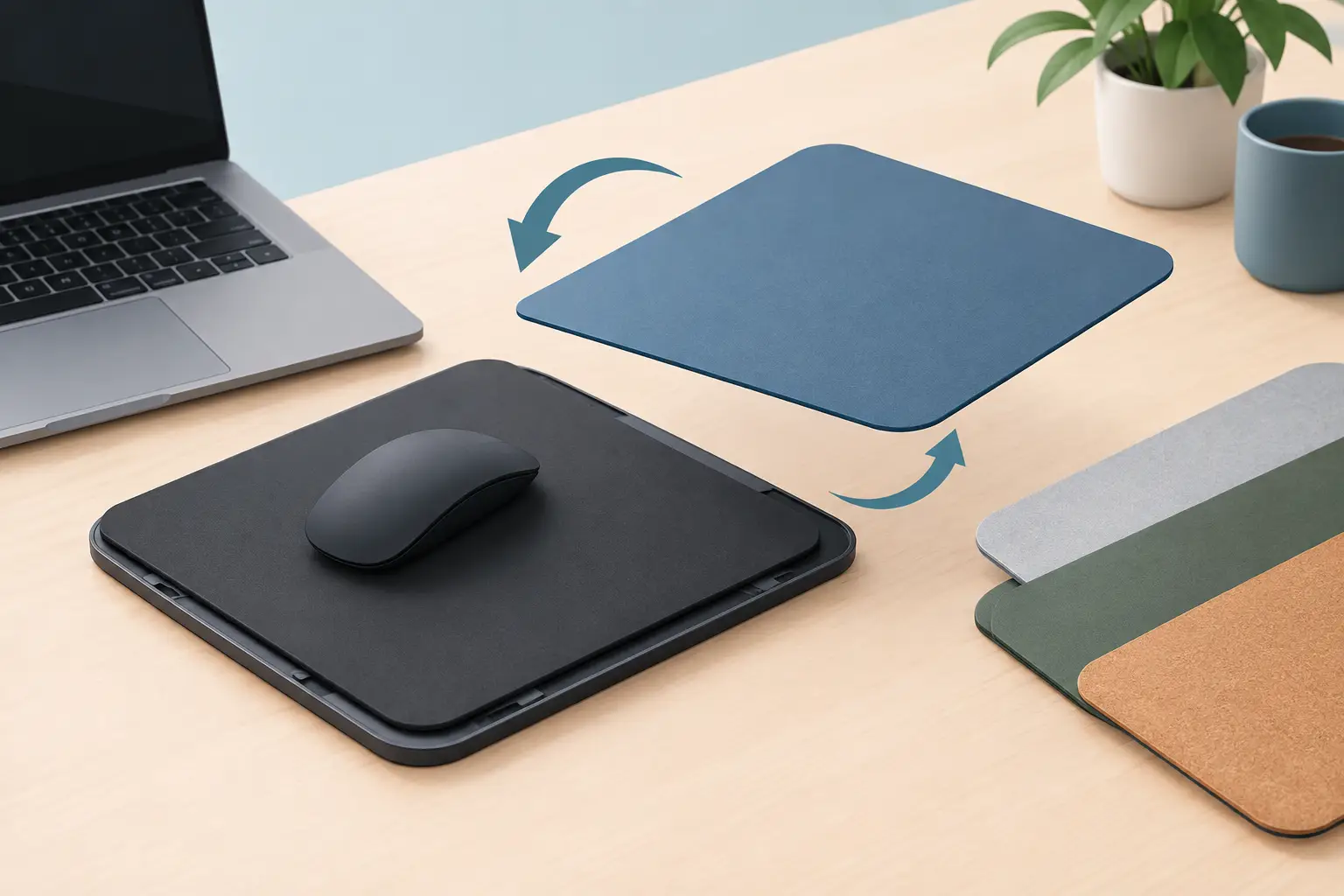
A mousepad takes more daily wear than almost any other part of a setup. Your wrist crosses it for hours. Your mouse tracks across the same paths. Coffee, skin oils, dust, friction, and repetitive movement all leave a mark. A swappable mouse pad surface treats that reality as a design requirement, not an afterthought.
The idea is simple: keep the technology that matters, then change the surface that meets your hand. It is a better model for people who expect more from their desk gear than a static rectangle of fabric.
The Surface Is Not a Cosmetic Layer
A desk mat can look clean on day one and feel wrong six months later. Cloth can slow down. Coatings can wear unevenly. Edges can fray. A color that fit one setup may not fit the next. When the surface is permanently fused to the hardware underneath, every one of those changes becomes a reason to replace the whole product.
That is wasteful when the real value lives below the surface.
For an intelligent desk mat, the control system, sensing layer, and connection hardware should have a longer life than the material your mouse glides across. A replaceable top separates those timelines. The core stays in place. The part exposed to daily use can evolve.
This matters beyond appearance. Surface texture changes how a mouse feels. A faster glide may suit competitive games. More stopping power can make precise timeline edits, retouching, and design work feel more controlled. Neither is universally better. The right choice depends on your mouse feet, sensitivity, posture, and the kind of work on screen.
A Swappable Mouse Pad Surface Fits Real Workflows
Most desk setups serve more than one role. A developer may shift from focused coding to a late-night game. A video editor may spend the day moving through dense timelines, then use the same computer for music, streaming, or casual browsing. One fixed surface forces every mode into the same physical feel and visual language.
A swappable mouse pad surface creates room for intent.
Use a restrained dark surface when the desk needs to disappear behind the work. Switch to a graphic edition when the setup is part of your stream frame. Replace a worn performance layer without disturbing your cable routing, keyboard position, monitor arms, or configured shortcuts. The desk remains stable while the contact layer changes.
That distinction is especially useful when the mat is also an input device. Moving a separate macro pad, control dial, or button box can disrupt a carefully built setup. A surface swap should not require rebuilding your control system from scratch.
Keep the Intelligence. Change the Feel.
A smart desk surface adds another requirement: the sensing must remain reliable after the top layer changes. The goal is not simply a removable mat. It is a system where the interaction remains consistent while the material above it can be refreshed, customized, or tuned for a different use.
That requires intentional engineering. Pressure zones need to register through the selected surface without becoming accidental triggers. The top must sit flat, stay aligned, and avoid shifting during aggressive mouse movement. Its thickness and density affect how the input feels under the palm.
There is a trade-off here. A thicker, heavily cushioned material can feel comfortable, but it may soften feedback from pressure-sensitive controls. An ultra-thin hard layer can feel immediate and fast, but may expose more desk vibration and reduce wrist comfort. The best system does not pretend those differences do not exist. It makes them usable choices.
KAGE GhostPad is built around that separation: an intelligent control core designed to support future pad surfaces and visual variants, rather than treating the entire mat as disposable.
Performance Means More Than Speed
Mousepad marketing often reduces performance to one question: fast or controlled? That is useful, but incomplete. Surface performance also includes consistency, noise, temperature, wrist comfort, edge feel, and how confidently the pad stays in place.
A low-friction surface can make large mouse movements feel effortless. It can also make micro-adjustments less forgiving until muscle memory catches up. A textured control surface may improve stopping confidence, yet feel slower during long sessions. Hard surfaces are easy to clean and often durable, but their sound and firmer feel are not for everyone.
A modular approach makes these compromises less permanent. You do not have to choose one texture for every year, every game, and every workflow. You can choose for the task in front of you.
For games
Fast shooters often reward quick lateral movement and predictable glide. Tactical games may favor a more controlled stop. The surface should support your aim style rather than dictate it.
For creative work
Editors and designers benefit from stable, repeatable movement when making small adjustments. Yet they also benefit from keeping shortcut controls close, so the mouse hand does not repeatedly leave its working position.
For long desk sessions
Comfort is cumulative. A surface that feels great for 20 minutes can become irritating after six hours. Material softness, heat, friction against the forearm, and edge construction all matter when the desk is where you work and play.
Less Replacement. More Ownership.
Peripheral culture has trained people to replace complete products when one part ages. A swappable surface challenges that cycle. If the base hardware is still useful, replacing only the worn layer is the more rational move.
It also makes a premium desk mat easier to live with. You can keep one core at the center of your setup and rotate surfaces as they wear, get cleaned, or stop matching the desk. That is practical, but it is also personal. A desk is not a showroom display. It changes as your tools, habits, and taste change.
The key is that swappability cannot become a gimmick. Replacement needs to be quick enough that people will actually use it. Alignment needs to be dependable. The surface cannot bunch, curl, or feel detached from the base. If changing it introduces friction, the promise of flexibility disappears.
What to Look for in a Swappable System
Before treating a removable surface as an upgrade, look at the system beneath it. Ask whether replacement pads are designed for the same footprint and whether they attach without tools or exposed hardware. Check whether the surface stays anchored under fast movement and whether edges remain flush enough to avoid catching your wrist or mouse cable.
For a pressure-sensitive mat, ask a second set of questions. Does the new layer preserve zone responsiveness? Can you rest your hand naturally without unwanted inputs? Does the sensing still work when your posture changes? A smart surface should adapt to your desk habits, not demand a careful ritual before every command.
Material availability matters, too. A platform only stays flexible if there are surfaces worth switching to: performance-oriented textures, durable everyday options, restrained colors, and designs that suit different spaces. Choice has value when it solves a real preference, not when it creates clutter in another form.
The Better Desk Peripheral Is Built in Layers
The most useful hardware rarely asks for more room. It earns its place by making the existing workspace work harder. A mousepad with hidden controls already reduces the need for visible buttons and extra devices. A replaceable top extends that logic by separating the durable system from the surface that naturally changes over time.
That is a quieter kind of upgrade. No extra panel. No new arm reaching across the desk. No need to retire useful hardware because the glide has changed or the look no longer fits.
Choose a surface that fits the way you move now. Then keep the option to change it when your work, game, or desk changes with you.
Leave a Reply